HSBC is an international banking firm based in the United Kingdom. HSBC currently has over $2.3 trillion in assets, which makes it one of the seven largest banking firms in the world. While HSBC has a large corporate banking division, it is also a large consumer bank with a full online banking system. To make managing their account easier, HSBC provides its clients with an online banking service. This guide will describe the steps you need to follow to complete the HSBC login procedure and access your HSBC online banking account.
HSBC Online Banking Login Portal: Step-by-Step Guide
The HSBC login process is very simple. The steps to log into your HSBC online banking account are as follows:
- Go to the main website of the HSBC bank, www.hsbc.com.
- One the far right hand of the screen, click the red button which reads “Online Banking”.

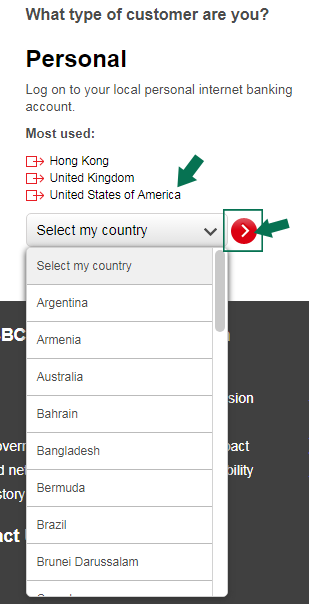
- Where prompted, click which type of customer you are and the country that you live in. For retail customers, you will want to select “Personal”.
- Select your country to log on to your local personal internet banking account.
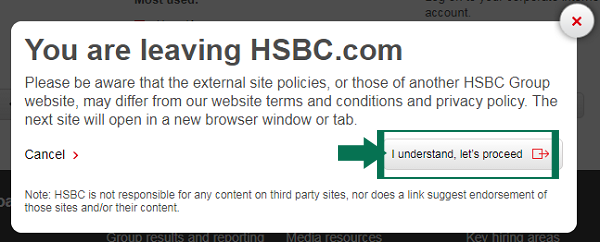
- A pop up window will open. Click on “I understand, let’s proceed” button to move on to the next step.
- The website will automatically direct you to the HSBC Personal Banking Page corresponding to the chosen country.
- Click on Log On from the right up menu. You will be redirected Log on page.
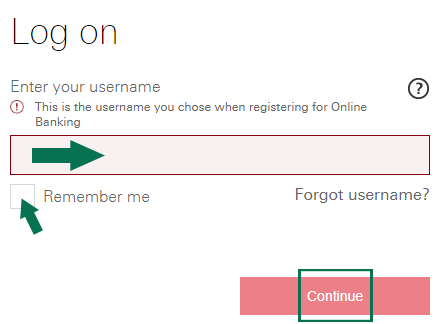
- Write your HSBC login username in the appropriate field. Click on Continue button.
- Insert your HSBC password on required field and click “Continue” button.
HSBC Mobile Online Banking Login Guide
You can also view your HSBC account information using your phone or tablet. The HSBC login procedure is similar to the one described earlier.
- Tap your browser app.
- Go to the HSBC website.
- Input your HSBC login credentials as you normally would.
- Tap the Log In button to complete the process.
HSBC Mobile Online Banking Login Guide for Apple Devices
To access your accounts through the Apple application, follow the following steps:
- Download the HSBC online banking app through the Apple App store.
- Install the application on your iPhone or iPad and tap the icon once it is installed.
- Write your username in the blank field.
- Write your password in the second blank field.
- Tap Log In to complete the process.
HSBC Mobile Online Banking Login Guide for Android Devices
Similar to accessing your accounts through an Apple device, you can also access them from an Android device.
To access your accounts on an Android device, follow the following instructions:
- Download the Android HSBC online banking app from Google Play store.
- Open the application on your phone and enter any necessary information where prompted.
- Provide the application with your HSBC login credentials.
HSBC Online Banking Login Trouble
When using either the HSBC website, HSBC mobile website or HSBC apps, there are issues that you could run into. The most common problem is forgetting your HSBC login info. If you forget your username, check the box below the username field and then click the arrow. This will redirect to the HSBC username recovery form. The same procedure applies for a forgotten password.
Assistance & Helpful Links
For further assistance with the HSBC login process, or for more information about HSBC online banking, visit the HSBC website, www.hsbc.com.
If you have issues with your HSBC online banking accounts, you should contact HSBC customer service. The HSBC customer service phone number is 800-975-4722.
Leave a Reply