TradeMONSTER originally began its operations in 2008. This online brokerage company specialized in option trading. By 2014, the company merged into OptionsHouse and continued its operations. However, in 2016, the company was acquired by E-Trade Financial Corporation. The TradeMONSTER and OptionsHouse names have been discontinued as they operate solely under ‘E-Trade’. This guide will explain the TradeMONSTER login procedure for the us.etrade.com website and TradeMONSTER apps.
For those of you with an account with TradeMONSTER (E-Trade), you can login to manage your trades, strategize, and more using a computer or your mobile device. They’re both simple processes that are broken down into brief step-by-step guidelines to provide you with additional help.
TradeMONSTER Login Portal: Step-by-step Guide
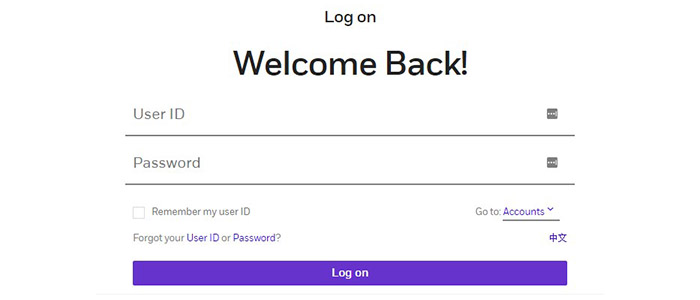
To reach your TradeMONSTER (E-Trade) account, you can use the following steps:
- Go to the Brokerage Account page on the official E-Trade website, us etrade.com.
- In the top right corner, select Log On.

- Enter your User ID and your Password.
- Open the Go to dropdown menu and select either Stock Trade or Options Trade.
- Optionally, you can select Remember my user ID.
- Click on Log on.
TradeMONSTER Mobile Login Guide
If you need to access your trade account over a mobile device, you can do so by using the following guide:
- Use any web browser to search for the official E-Trade website.
- In the left-hand corner, select the box to open the side menu.
- Scroll down until you find the Log on link and select it.
- Enter your User ID and your Password.
- Tap the Go to dropdown menu and select Stock Trade or Options Trade.
- Tap the Remember my user ID box if you want.
- Select the Log on link and sign in.
TradeMONSTER Mobile Login Guide for Apple Devices
- Download the OptionsHouse Mobile app in the App Store.
- Find the green and white icon to launch the app.
- Type in your User ID and Password.
- You can select to Remember my User ID.
- Tap on Log on.
TradeMONSTER Mobile Login Guide for Android Devices
- In the Google Play Store, install the OptionsHouse LLC app.
- Tap the green and white icon to launch it.
- Enter your User ID and your Password.
- Check the Remember my User ID box if you want.
- Select Log on.
TradeMONSTER Login Trouble
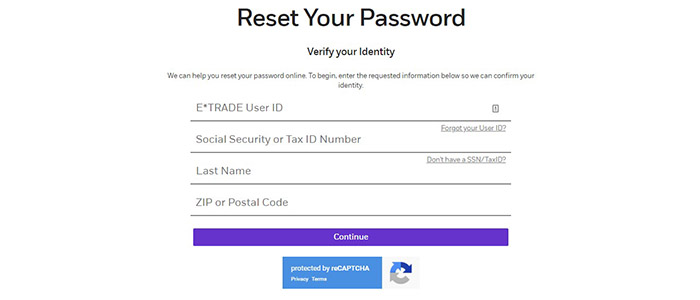
If you ever have trouble with your TradeMONSTER (E-Trade) account, there is a good deal of help available on the company’s website. On the login page, if you have forgotten your TradeMONSTER login information, you can try to retrieve your ID and reset your password.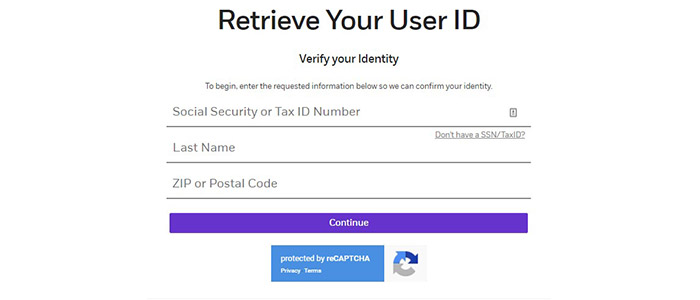
Assistance & Helpful Links
Though the TradeMONSTER name is no longer used as the company belongs to E-Trade, it is still simple to log into your account using your computer or your mobile devices. There is help available online as well if you still have TradeMONSTER login issues. You can call a Customer Service Representative at 800-387-2331. In addition, you can log into your account to send E-Trade a secure email message.
Leave a Reply